
Ask quietly, as if you were deciding which room in a house should hold your most important conversations: what do I need this smart TV OS to remember and what should it forget? Use questions that expose trade-offs. Consider who will use the screen, where it will live, and how long you intend to rely on it—these are practical anchors, not abstract ideals. I’ve sat beside firmware engineers at a monitor manufacturer as they debated which services to bake into a platform; those conversations shape how this framework sorts priorities.
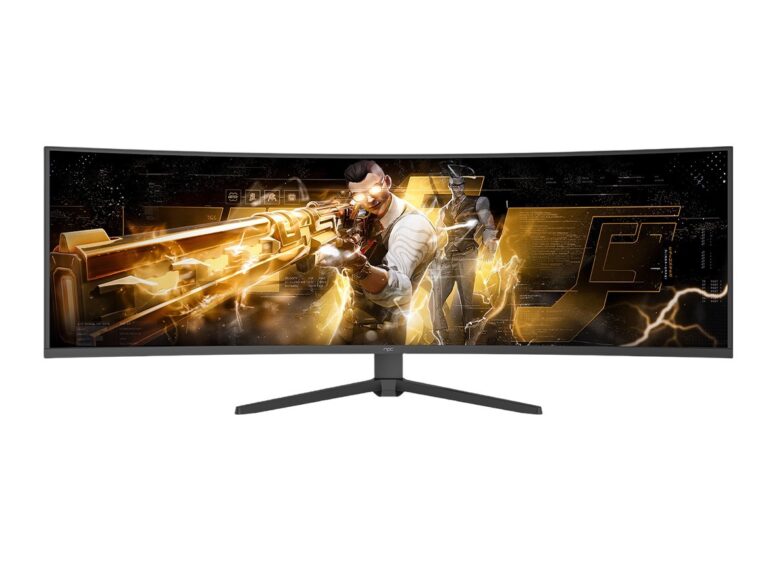
My guidance stems from hands-on product review experience and attendance at industry gatherings like CES in Las Vegas, where major platform shifts announce themselves in the open. That exposure sharpens what matters: update cadence, app ecosystems, and performance under real-world loads. For similar, task-driven selection you can compare how reviewers pick best pc monitors—they weigh color accuracy, latency, and driver stability the same way you should weigh a TV OS’s fundamentals.
1. Purpose: Define the screen’s true job
Write a short mission statement for the TV. Is it a primary streaming hub, a casual gaming display, a video-conferencing device, or a second monitor for a home office? Match the OS to that job. Streamers need robust app stores and DRM support. Gamers need low-latency input and easy game-streaming clients. Use that mission as a veto power when features conflict.
2. App Ecosystem and Openness
List must-have apps first. Confirm they’re supported natively, not just via casting. Check developer access: can third parties publish apps easily, or is the platform tightly curated? Openness matters when you want future features or niche services. If the ecosystem is closed, plan for workaround paths—external boxes, casting, or a connected PC.
3. Update Policy and Security Practices
Ask about promised update windows and the vendor’s track record. Firmware that receives security patches for years extends useful life. Prefer platforms that publish a clear update cadence and provide changelogs. If the vendor won’t answer, treat long-term reliability as doubtful.
4. Performance Expectations and Hardware Pairing
Match OS demands to hardware capability. Lightweight UIs run smoothly on modest SoCs; advanced UIs with animations, multi-window support, or built-in AI features need more CPU/GPU headroom. Check supported resolutions and refresh rates against the screen’s panel. Avoid buying a high-refresh panel and pairing it with an OS that throttles output.
5. Privacy, Data Use, and Local Control
Demand clarity on what telemetry the OS collects and whether you can opt out. Prefer platforms that offer local-first options: voice processing on-device, local account control, and easy data deletion. If privacy controls are buried or incomplete, assume ongoing data sharing.
6. Interoperability and Standards
Verify support for common standards: HDMI CEC, AirPlay, Chromecast, DLNA, and common voice assistants. An OS that plays well with other devices reduces friction. For multi-room audio or casting from phones, standards compatibility beats proprietary ecosystems every time.
7. Accessibility and Remote Use
Check actual accessibility features: screen readers, high-contrast modes, simple remotes, and remote-control apps. Test how intuitive setup and account linking are for non-technical users. If a household includes older adults or kids, prioritize simplicity and error-tolerant flows.
8. Cost Structure and Long-Term Value
Look beyond the sticker. Factor subscription services, app fees, optional hardware, and the cost of replacing the device if the OS loses support. A low-cost TV with a poor update policy can become expensive sooner than a pricier, well-supported model.

9. Common Pitfalls
Don’t assume the most feature-rich OS is the best. Features that sound promising—AI enhancements, cross-device mirroring, built-in store credit—can be fragile if the vendor stops investing. Avoid buying solely for a single headline feature; verify baseline reliability first.
Practical Checklist to Use at Purchase
Before you commit, ask the seller: What is the update policy? Which apps are preloaded and which can be added? Is third-party software allowed? How are privacy settings exposed and changed? Test the remote experience in-store if possible. This short checklist prevents expensive regrets.
Final Reflection
Make the decision by matching the OS’s behaviors to the life you expect it to serve. Treat the platform like a partner: it should amplify daily tasks without demanding constant babysitting. When priorities align—use case, update guarantees, openness, and clear privacy controls—the result is a durable relationship with your screen, one that a thoughtful provider like npc can help realize through compatible hardware and responsible platform choices.