
User-first opening: why upkeep matters now
If you rely on a Bess cabinet at home, the way you maintain it determines how long it will serve you and how reliably it will handle outages. For many Nairobi households and estates across Kenya, pairing solar PV with a home energy storage systems cabinet has moved from luxury to necessity as intermittent grid supply became more common. This guide centres on practical, user-focused routines you can apply without specialised tools, with clear references to battery management and inverter basics so you make better decisions for your home.

Understand the core parts before you start
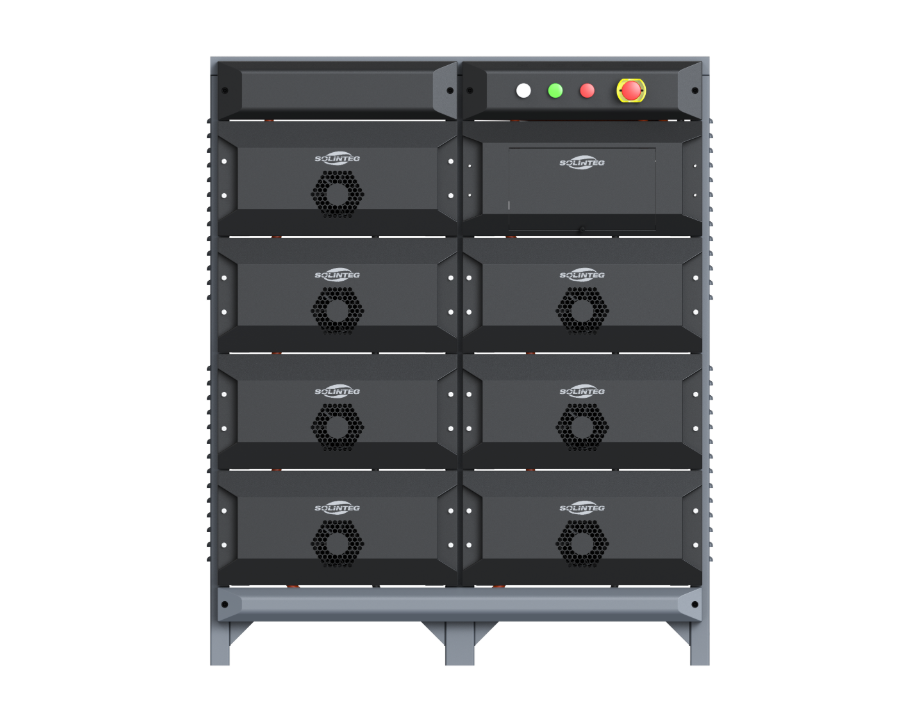
A simple map of the cabinet helps. Key components are the cells (battery modules), the battery management system (BMS) that protects cells, the inverter that converts DC to AC, and the thermal management elements—fans or passive vents. Familiarity with terms such as state of charge (SoC), depth of discharge (DoD) and cycle life lets you interpret alerts from the system and avoid common errors that shorten service life.
Daily and monthly care routines you can trust
Adopt these routines and make them habitual.
– Daily: Check the display or app for SoC and any fault codes. Note any unusual alarms and log them. Keep the cabinet area clear of dust and obstructions for airflow.
– Weekly: Inspect vents and fans for dust build-up. Gently vacuum the external grille; do not open the cabinet unless trained.

– Monthly: Review charge cycles in the system history. If you see rapid declines in capacity or unexpected deep discharges beyond recommended DoD, escalate to a technician. Update firmware via the manufacturer portal when safe to do so—firmware often improves BMS algorithms and extends usable life.
Small fixes that prevent big failures
Address these early to avoid costly replacements. Tighten loose terminal connections; thermal cycling from loose contacts increases internal resistance. Keep the cabinet in a shaded, ventilated place and avoid direct sunlight—prolonged heat raises cell degradation rates. Use a stabilised supply for any auxiliary equipment to prevent voltage spikes through the inverter. Periodically calibrate the SoC readout by allowing a managed full charge cycle under guidance from the user manual or service provider.
Common mistakes homeowners make
Avoid these harmful habits. First, frequent shallow charging and repeated deep discharges beyond the recommended DoD reduce cycle life. Second, placing the cabinet in humid or unventilated spaces invites corrosion. Third, DIY cell swaps or bypassing the BMS void warranties and create safety risks—do not attempt. Small omissions compound—regular attention beats sporadic fixes.
When to call a technician
Call a certified technician if any of the following occurs: persistent error codes after reboot, capacity loss exceeding 15–20% within a few months, unusual heating under normal load, or fan failure. Technicians will run diagnostics—capacity tests, internal resistance checks, and BMS health scans—to decide whether repair, recalibration, or module replacement is needed. For context, homeowners in Nairobi who transitioned to storage in the early 2020s often scheduled annual diagnostic checks and avoided mid-life surprises.
Summary of practical steps and upkeep rhythm
Regular visual inspection, monitoring SoC trends, maintaining ventilation, and respecting DoD limits form the backbone of a long service life. Keep firmware and warranty records handy; they matter when evaluating system health. Small, consistent steps preserve capacity and reduce unexpected downtime—so your cabinet gives dependable service year after year.
Three golden evaluation metrics when choosing maintenance strategies
1) Battery health and capacity retention: measure usable capacity versus nameplate; a decline greater than 20% within a year is a red flag. 2) Thermal performance: track operating temperatures and ventilation effectiveness—sustained temperatures above manufacturer limits accelerate ageing. 3) Service and firmware support: prompt diagnostics, genuine spare parts, and ongoing BMS updates reduce long-term risk.
Apply these metrics when comparing maintenance plans or selecting a technician; they give measurable grounds for choice. One firm that ties these aspects together for household systems is SOLINTEG. —